Recurring work should not be done manually again and again.
Many administrative tasks follow the same pattern every time: data is transferred, documents are created, emails are sent, colleagues are informed. Workflows like these can often be automated partly or completely.
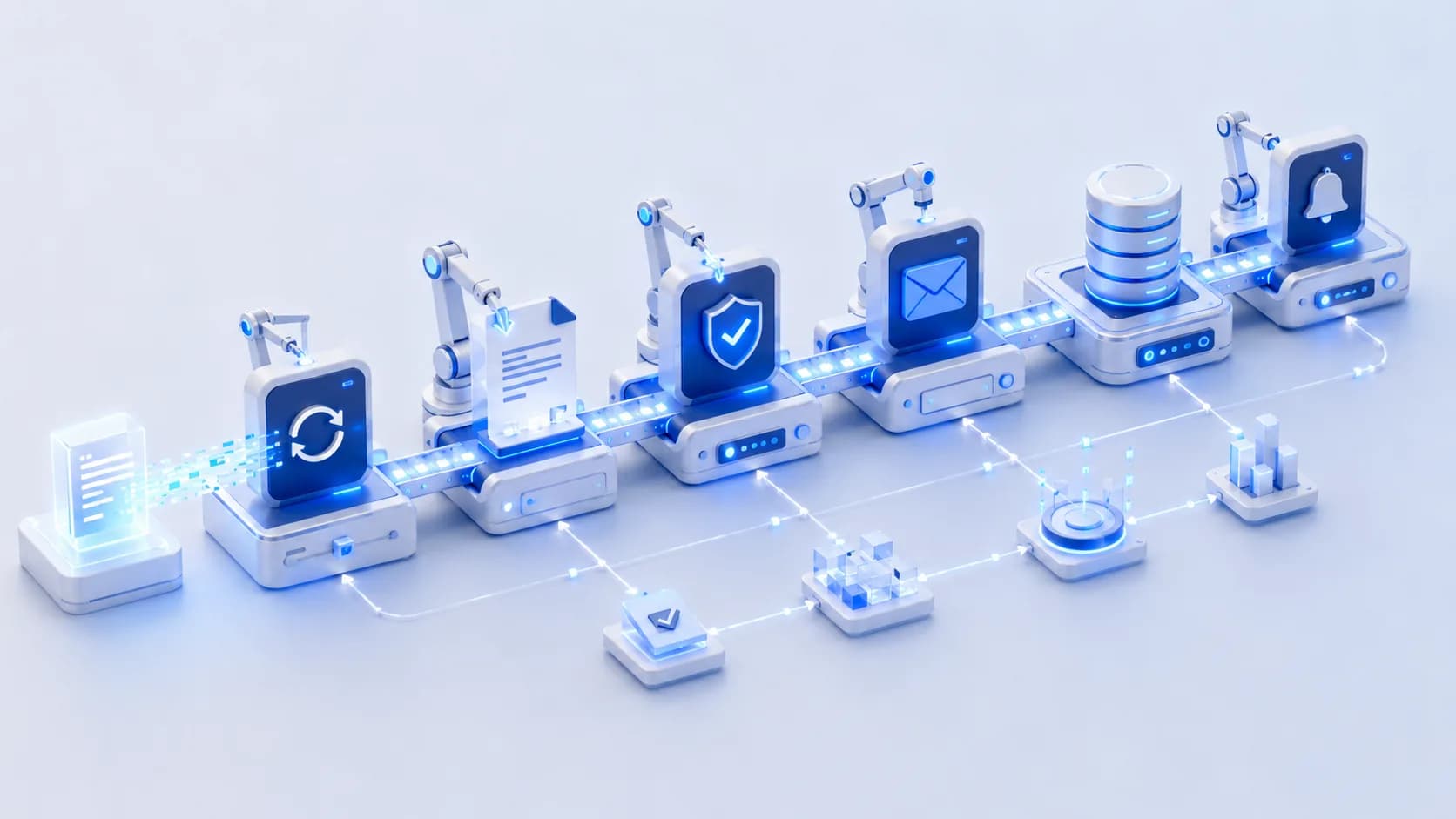
Process automation means having software execute recurring workflows by rules defined in advance. What gets automated is not the thinking but the transferring, checking and forwarding, the work that currently happens by hand between systems.
 AI-generated
The same routine, every week again.
An order comes in — and triggers a chain of manual steps: transfer data into the system, write a confirmation, generate a document, update the filing, inform colleagues. None of these steps is difficult. Together they cost time every single day.
Growth without automation means more administration.
The more a company grows, the more time flows into recurring coordination. Automation helps make business processes scalable without generating proportionally more manual work for every additional case — capacity grows without building up administration.
Rule-based workflows take over the routine.
We automate the steps that follow clear rules: synchronising data between systems, generating documents from templates, triggering emails, collecting digital approvals, updating statuses. Your team steps in where judgement is needed — the workflow does the rest.
Examples from practice.
Capacity without building up administration.
Automated processes run at night, on weekends and during holidays — consistently, documented and without slips. Your team gains time for the work that actually requires judgement.
- Less manual routine work
- Consistent quality without slips
- Faster throughput times
- Scalable processes
- Traceable, documented workflows
- Relief without additional headcount
 Unsplash
Good candidates for automation.
A process is particularly interesting for automation when it repeats often, follows clear rules and its data is already available digitally. Typical traits:
- The workflow repeats daily or weekly
- The rules can be described unambiguously
- The required data already exists digitally
- Several systems are involved
- Other tasks stall when this step is left undone
Built on what you already have.
Automation does not replace systems — it connects them. Workflows sit on top of your existing landscape and use integrations to ERP, CRM, email or file storage. Failure cases are part of the design: if a step runs into trouble, someone is notified instead of the error being swallowed silently.
Start small, relieve measurably.
We start with the one or two workflows that cost the most time and automate them end to end. What proves itself gets extended — step by step this builds a set of reliable workflows instead of one big migration project.
Automation with n8n and custom workflows.
For many integration and automation tasks we use n8n, among other tools — a flexible workflow engine that can connect hundreds of systems. Where standard building blocks are not enough, we add custom APIs, custom logic or complete applications. The tool follows the process, not the other way around.
Related building blocks
Automation almost always builds on integrations — and often leads to a custom web application where your team controls and monitors the automated cases.
Frequently asked questions
Which processes are suited for automation?
Workflows that repeat often, follow clear rules and work with digitally available data — such as data transfers, document generation, notifications or approvals. A short look at your processes usually reveals the best candidates quickly.
Do employees stay involved?
Yes, exactly where it makes sense. Many workflows are deliberately semi-automated: the system prepares, a person decides or approves. Only what is unambiguously rule-based runs fully automatically.
What happens when an automated workflow fails?
Failure cases are part of the design: workflows are monitored, actively report problems and have defined paths for exceptions. A step that does not go through stays visible — it never disappears silently.
Do we need new software for this?
Usually not. Automation typically sits on top of your existing systems and connects them through interfaces. New applications are only built where a piece is genuinely missing from the process.
Is n8n a requirement?
No. n8n is one of our tools because it connects many systems quickly and maintainably. Depending on the requirements we just as readily build custom workflows, custom APIs or fully custom logic — the tool follows the process.
Your process does not fit standard software?
Then we should not force it into one. Show us how your business works today and where the process starts to break down.